Most teams underestimate how much time they lose to text formatting. A heading in the wrong case, a messy URL slug, inconsistent variable naming, and mismatched UI labels can create avoidable review cycles.
A clear text-case strategy improves readability, SEO consistency, and engineering hygiene. The goal is not strict perfection. The goal is predictable output across content, code, and URLs.
The Cases You Should Know
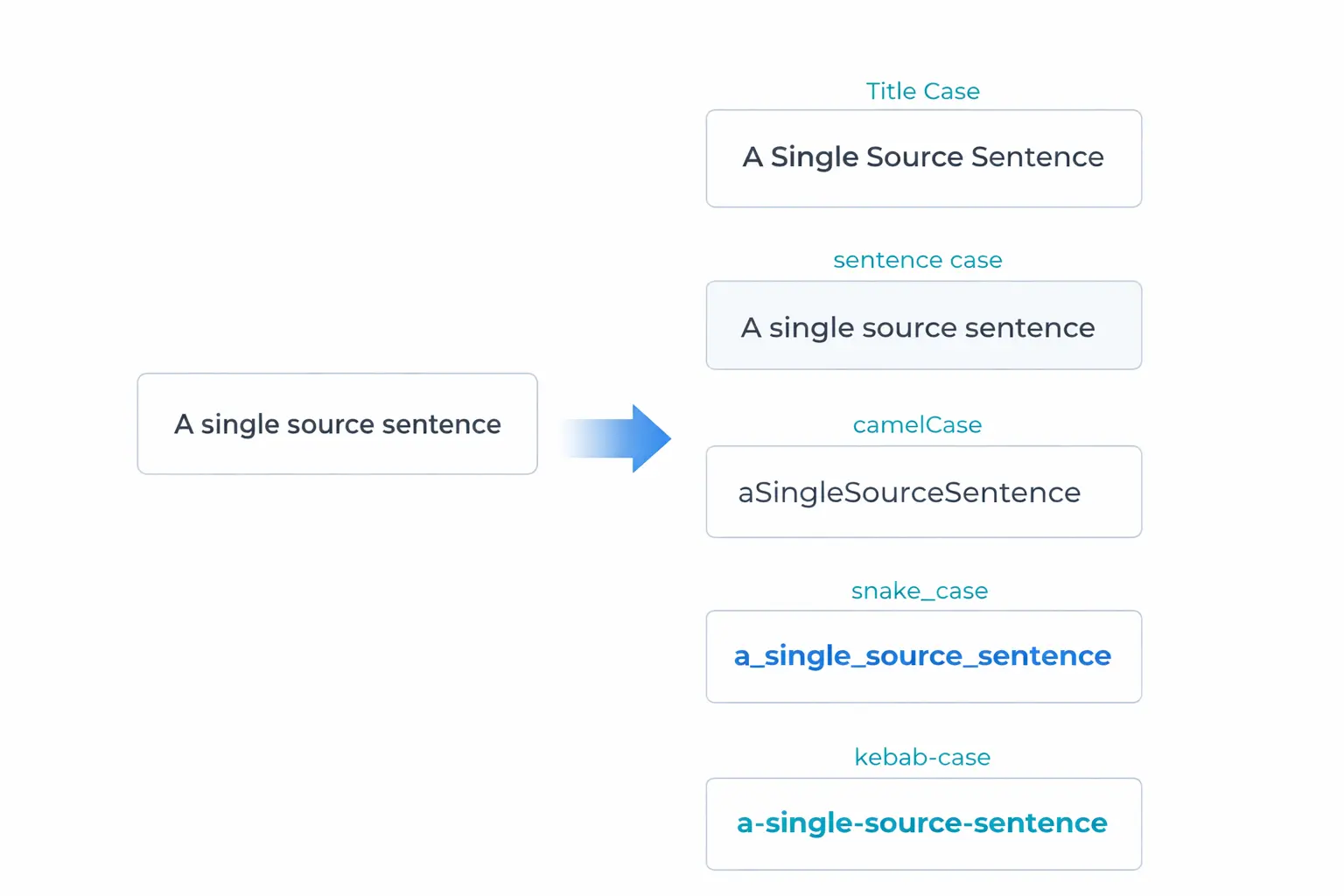
Here are the most useful formats in daily workflows:
- Title Case: Good for article titles and major UI headings
- sentence case: Better for body copy and many product labels
- UPPERCASE: Use sparingly for very short emphasis labels
- camelCase: Common in JavaScript and object properties
- snake_case: Common in databases and backend naming
- kebab-case: Standard for URL slugs and many file names
Where Teams Usually Get It Wrong
Inconsistent case often appears in three places:
- Content operations: blog titles, meta titles, and social snippets
- Engineering: API keys, variable names, and config files
- SEO implementation: page slugs and canonical URLs
Even when each decision looks small, inconsistency spreads quickly.
Practical Rules That Work
Use these baseline rules:
- Blog and page titles: Title Case or sentence case, but pick one style guide
- Meta descriptions: sentence case
- URL slugs: kebab-case only
- JSON/API keys: camelCase unless your API standard says otherwise
- Database column names: snake_case for consistency and compatibility
The real win is not which style you pick. It is that everyone follows the same one.
Slug Formatting and SEO
Slugs are often generated in a rush. That causes problems like mixed separators, uppercase letters, and special characters.
A clean slug should be:
- lowercase
- hyphen-separated
- concise and descriptive
- free of unnecessary stop words when possible
Example:
- Good: mastering-text-case-convert-titles-sentences-slugs-instantly
- Bad: Master_Text_Case_NOW!!!
Build a Repeatable Workflow
Instead of manual edits every time, automate with simple steps:
- Draft source text once.
- Convert to required cases for each channel.
- Review edge cases (acronyms, numbers, names).
- Store final versions in your CMS or content sheet.
This reduces mistakes and avoids repeated formatting tasks.
Why a Text Case Converter Is Worth It
A dedicated case converter helps when you are switching between developer and content contexts all day. It is especially useful for:
- preparing SEO slugs
- refactoring naming conventions
- cleaning imported content
- generating multiple publishing variants quickly
It turns a repetitive task into a near-instant operation.
Final Thoughts
Text case may feel like a minor detail, but details accumulate into product quality. Standardized formatting improves readability, speeds up collaboration, and prevents downstream SEO or engineering issues.
If your team wants a cleaner content and naming pipeline, Duo Dev Technologies can help design a practical style system and implementation workflow.