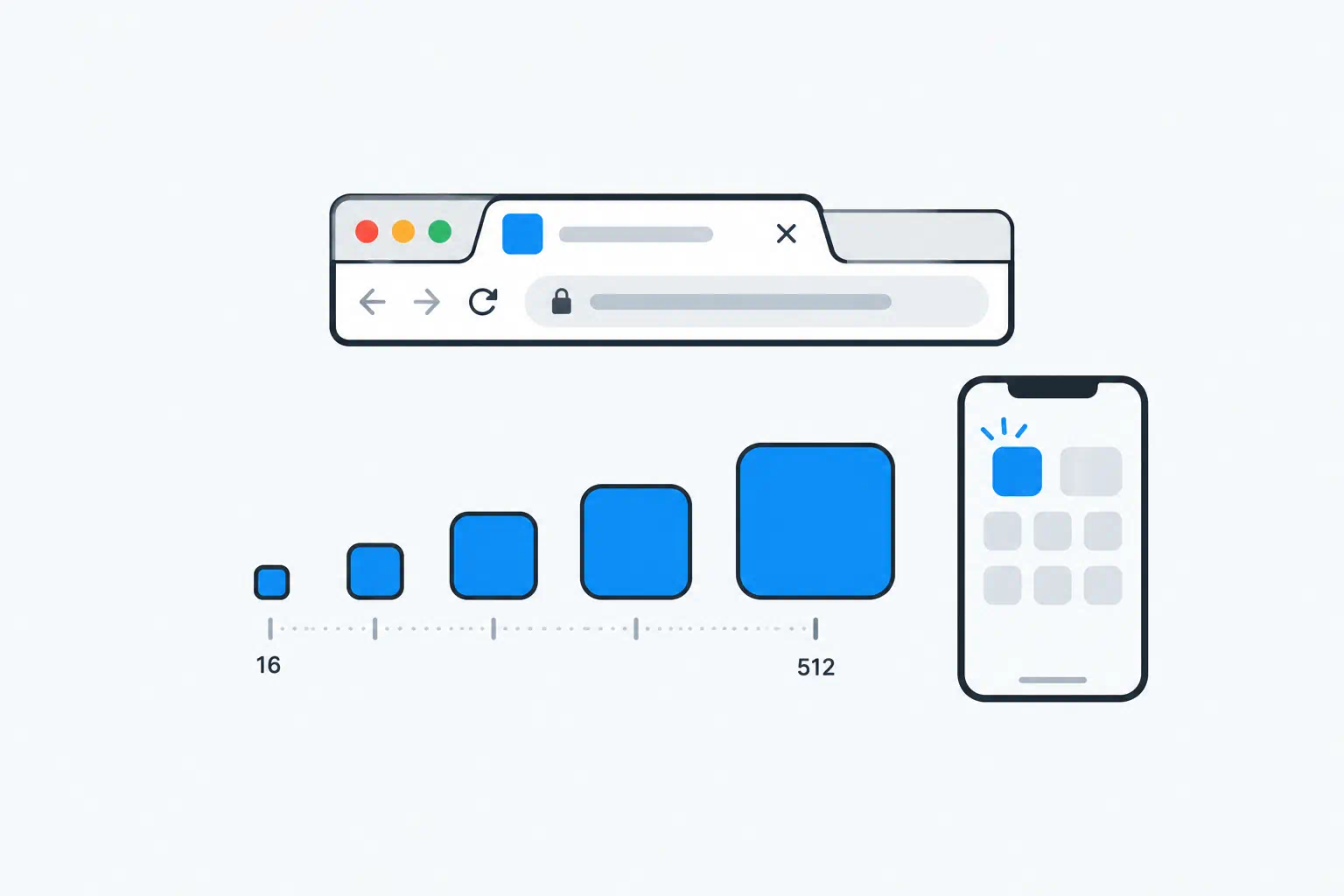
Favicon advice has accumulated for twenty years and most of it is still online. Search the topic and you will be told to generate thirty files for Windows tiles, old BlackBerry devices and Safari pinned tabs that no longer need them. Meanwhile the thing that actually matters in 2026, a crisp icon in Google search results and in the browser tab, is often missing.
Here is the short, current version.
Key takeaways
- Four files cover every modern browser, iOS, Android and Google: an SVG, a 32×32 ICO fallback, a 180×180 PNG for iOS, and 192/512 PNGs for Android referenced from a web manifest.
- Google now shows favicons in search results on desktop and mobile. A missing or low-quality icon makes your result look less trustworthy than the one below it.
- Design the icon at 16 pixels first. If it is not recognisable at 16, it is not a favicon.
- The Favicon Generator produces the full set from one image or a text initial.
Where favicons appear now
- Browser tabs, bookmarks and history: 16×16 and 32×32, with high-DPI screens using the larger one.
- Google search results: shown next to the site name on desktop and mobile. Google requests an icon that is a multiple of 48 pixels and at least 48×48; it scales down.
- iOS home screen (Add to Home Screen): 180×180
apple-touch-icon. - Android home screen and PWA install: 192×192 and 512×512 from the web app manifest.
- Operating-system places: taskbar, dock, app switcher, when the site is installed as an app.
Everything else, such as Windows 8 tiles and Safari's monochrome pinned-tab SVG, is either gone or handled by the files above.
The minimal file set
| File | Size | Purpose |
|---|---|---|
favicon.svg |
vector | Modern browsers; sharp at every size, supports dark mode via CSS |
favicon.ico |
32×32 (and optionally 16×16 inside the same file) | Fallback for older browsers and for software that requests /favicon.ico without reading HTML |
apple-touch-icon.png |
180×180 | iOS home screen |
icon-192.png, icon-512.png |
192×192, 512×512 | Android, PWA install, splash screens; referenced from site.webmanifest |
And the HTML in <head>:
<link rel="icon" href="/favicon.ico" sizes="32x32">
<link rel="icon" href="/favicon.svg" type="image/svg+xml">
<link rel="apple-touch-icon" href="/apple-touch-icon.png">
<link rel="manifest" href="/site.webmanifest">
Browsers that understand SVG pick it; others fall back to the ICO. Keep favicon.ico at the site root even though you link it, because some clients fetch /favicon.ico directly.
The manifest:
{
  "name": "Your Site",
  "icons": [
    { "src": "/icon-192.png", "sizes": "192x192", "type": "image/png" },
    { "src": "/icon-512.png", "sizes": "512x512", "type": "image/png" }
  ]
}
Format choices
SVG is the best primary format. It is tiny, sharp on every display, and can respond to prefers-color-scheme so a dark icon on a light tab becomes light on a dark tab:
<svg xmlns="http://www.w3.org/2000/svg" viewBox="0 0 32 32">
  <style>
    path { fill: #111; }
    @media (prefers-color-scheme: dark) { path { fill: #fff; } }
  </style>
  <path d="..."/>
</svg>
Run it through the SVG Optimizer before shipping; exported SVGs from design tools often carry kilobytes of metadata.
ICO is a container that can hold several PNG-or-bitmap sizes in one file. One 32×32 image is enough today; add a 16×16 if your design has fine detail that looks better hand-tuned at that size.
PNG for the raster sizes. Use transparency only for the ICO and SVG. The iOS and Android icons should have a solid background, because the OS places them on a rounded tile and transparent areas render as black or white depending on the platform.
Designing for 16 pixels
A favicon is a logo seen at the size of this full stop: . Things that work:
- A single letter or two letters.
- One bold shape in one colour.
- Your logo mark without the wordmark.
Things that do not: full logos with text, thin lines, gradients, more than two colours, anything with a tagline.
Test by shrinking the design to 16×16 and looking at it from arm's length. If you cannot tell what it is, simplify. The Image Resizer is enough for the check.
Make the raster versions with some padding: a mark that fills the entire 512×512 canvas gets its edges clipped by the rounded iOS mask. Around 10% margin on each side is safe.
Generating the set
- Start with a square source: a 512×512 PNG with a solid background, or an SVG. If you do not have a mark yet, the Favicon Generator can build one from a letter or two on a coloured background, which is a perfectly good interim icon.
- Upload it. The generator exports the sizes listed above (16, 32, 48, 64, 180, 192, 512) plus a
favicon.icoand a manifest snippet. - Put the files at the site root (or wherever your
hrefs point), add the<link>tags, and deploy. - Open the site in a private window to bypass the cached old icon, and check the tab.
- Use Search Console's URL Inspection on the home page. After the next crawl, your result in Google should show the new icon.
Common problems
The old icon will not go away. Browsers cache favicons aggressively. Add a query string once (/favicon.ico?v=2) to force a refresh, or wait; it clears within days.
Google shows a generic globe instead of my icon. Causes, in order of likelihood: the icon is below 48×48, the file is blocked by robots.txt, the home page returns an error, or the icon was changed recently and Google has not recrawled. Google needs to be able to fetch both the home page and the icon file.
Icon looks blurry on a retina Mac. The browser is using the 16×16 ICO on a 2× display. Add the SVG, or at least a 32×32 size.
iOS shows a screenshot of the page. No apple-touch-icon was found. Check the path and that the file is a PNG.
Frequently asked questions
Do I still need favicon.ico?
Technically most browsers will use the SVG or PNG, but a surprising amount of software (feed readers, bookmark services, some crawlers) fetches /favicon.ico directly without reading the HTML. Keep it; it costs nothing.
What size does Google want?
Any square size that is a multiple of 48 pixels, at least 48×48. The 192×192 or 512×512 PNG satisfies this. Google will also read an SVG. The icon must be reachable by Googlebot and be visually representative of the site.
Can the favicon be a GIF or animated?
Firefox animates GIF favicons; Chrome and Safari show the first frame. Treat animation as unsupported.
Does the favicon generator keep my logo?
No. The uploaded image is processed and the generated files are returned to you; the upload is deleted afterwards.
Tools used in this guide
- Favicon Generator
- SVG Optimizer
- Image Resizer
- Image Format Converter for turning a JPG logo into a PNG with transparency